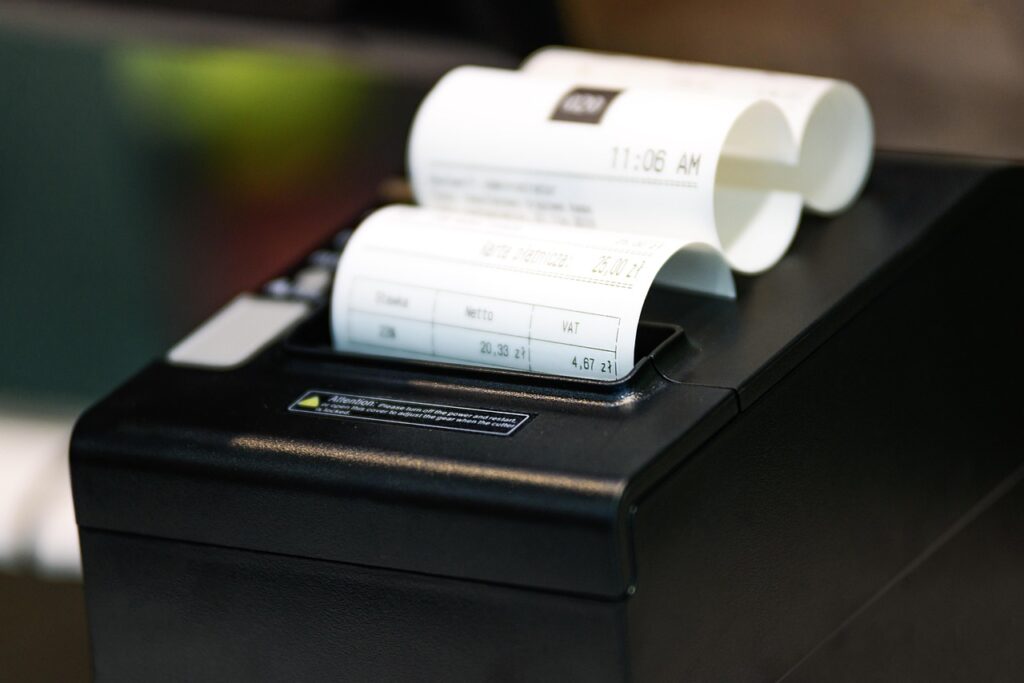
How to Organize Your Business Receipts Without a Shoebox

cash register, printer, receipt, store, sale, bookkeeping, hotel, restaurant, order, vat, clean, sum, tax office, control, computer, accountancy, cash register, printer, receipt, receipt, receipt, receipt, receipt, vat

How to Organize Your Business Receipts Without a Shoebox

If your business receipts are stuffed inside a shoebox, envelope, drawer, or glove compartment, you’re not alone. Thousands of small business owners wait until tax season before sorting months of receipts, only to discover missing deductions, faded paper, and hours of unnecessary work.

Fortunately, there is a better way.

Learning how to organize business receipts throughout the year saves time, reduces stress, and helps ensure you never miss valuable tax deductions. Even better, today’s technology allows you to organize everything from your smartphone.

Why Receipt Organization Matters

Business receipts provide proof of your expenses if you’re ever audited. They also make bookkeeping more accurate and help your accountant prepare your tax return much faster.

Proper receipt organization helps you:

  • Find deductible expenses quickly
  • Avoid duplicate purchases
  • Track business spending
  • Prepare financial statements
  • Stay ready for tax season
  • Reduce bookkeeping costs

Instead of spending days sorting paper receipts every spring, you’ll already have everything organized.

Why the Shoebox Method Doesn't Work

Many small business owners still collect receipts in one large box.

While it may seem convenient, this method creates several problems.

  • Receipts fade over time.
  • Paper gets damaged.
  • Important receipts become lost.
  • Sorting takes hours.
  • Expenses may never get recorded.

By the time tax season arrives, many receipts are unreadable, making it impossible to claim legitimate deductions.

Step 1: Separate Business and Personal Purchases

One of the easiest ways to organize business receipts is by using a dedicated business checking account and business credit card.

Keeping personal and business expenses separate makes bookkeeping significantly easier.

It also helps prevent mistakes during tax preparation.

Step 2: Scan Receipts Immediately

Instead of saving paper receipts, scan them as soon as you receive them.

Several apps can automatically read the receipt, capture the vendor, amount, tax, and date, then categorize the expense.

Popular options include:

  • QuickBooks Online Receipt Capture
  • Dext
  • Shoeboxed
  • Expensify

Many of these programs automatically sync with your bookkeeping software, eliminating manual data entry.

Step 3: Create Digital Categories

Create folders such as:

  • Office Supplies
  • Advertising
  • Meals
  • Travel
  • Equipment
  • Utilities
  • Vehicle Expenses
  • Professional Services

Organizing receipts by category throughout the year makes preparing financial reports much easier.

Step 4: Match Receipts to Bank Transactions

Every receipt should match a transaction on your bank or credit card statement.

Doing this monthly helps identify:

  • Missing expenses
  • Duplicate charges
  • Fraudulent purchases
  • Recording errors

This simple habit makes reconciliation much faster.

If you’d like to learn more, read our related article:

How Clean Books Make Quarterly Tax Filing Easier and Less Stressful

Step 5: Store Everything Securely

Cloud storage is safer than filing cabinets.

Many receipt management applications automatically back up your receipts, making them searchable from any computer or smartphone.

Digital storage also protects you from:

  • Water damage
  • Fire
  • Lost paperwork
  • Fading thermal paper

Best Receipt Management Software

QuickBooks Online

QuickBooks allows you to photograph receipts using its mobile app. The software automatically matches many receipts with downloaded bank transactions, reducing manual bookkeeping.

Best for:

  • Small businesses
  • Service businesses
  • Contractors
  • Consultants
Dext

Dext is one of the most popular bookkeeping automation tools used by accountants.

Features include:

  • AI receipt scanning
  • Invoice capture
  • Bank statement capture
  • Automatic data extraction
  • QuickBooks integration

It dramatically reduces bookkeeping time for businesses handling many receipts.

Shoeboxed

Shoeboxed specializes in digitizing paper receipts.

You can:

  • Photograph receipts
  • Mail paper receipts for scanning
  • Track mileage
  • Generate expense reports
  • Export directly to QuickBooks

It’s ideal for business owners transitioning from paper records.

Expensify

Expensify is excellent for businesses with employees who submit expense reports.

Features include:

  • Smart receipt scanning
  • Automatic expense reports
  • Mileage tracking
  • Credit card integration
  • QuickBooks synchronization

It works especially well for companies with frequent travel expenses.

How Long Should You Keep Business Receipts?

The IRS generally recommends keeping records that support your tax return for several years, depending on the situation. Keeping digital copies makes long-term storage much easier.

Helpful IRS resources:

  • IRS Recordkeeping Guide
  • IRS Publication 583
  • IRS Publication 463 (Travel, Gift, and Car Expenses)
Common Receipt Organization Mistakes

Avoid these common errors:

  • Waiting until tax season
  • Mixing personal and business expenses
  • Throwing away receipts too soon
  • Forgetting online purchase receipts
  • Not backing up digital files
  • Ignoring monthly bookkeeping

Correcting these habits can save hundreds—or even thousands—of dollars over time.

How Our Remote Bookkeeping Service Helps

You don’t have to organize everything by yourself.

Our remote bookkeeping service makes receipt management simple.

Step 1 — Schedule a Free Records Review

We’ll evaluate your current bookkeeping and receipt organization.

Step 2 — Receive a Personalized Bookkeeping Plan

You’ll know exactly what needs to be cleaned up and how long the process will take.

Step 3 — Securely Upload Your Documents

Choose whichever method works best for you:

  • Connect QuickBooks Online
  • Upload bank statements
  • Upload credit card statements
  • Upload scanned receipts
  • Use our secure client portal

If necessary, we can show you how to redact sensitive information before uploading your documents.

Step 4 — We Organize Everything

We categorize transactions, reconcile accounts, organize receipts, and prepare accurate financial reports.

Step 5 — Stay Tax Ready All Year

Monthly bookkeeping keeps your financial records current so tax season becomes simple instead of stressful.

Typical Project Timeframes
  • Monthly Bookkeeping: 3–7 business days
  • Catch-Up Bookkeeping: 1–4 weeks
  • Cleanup Bookkeeping: 2–6 weeks
  • QuickBooks Setup: 2–5 business days